Transform short clips into complete cinematic creations
Movie Maker Edit Pro is a video editing application designed to combine short AI-generated and personal video clips into polished, feature-length movies. Built specifically for collections of Grok Imagine and Gemini Veo Image-to-Video content, this multimedia program simplifies editing by automatically adding transitions, balancing audio, and exporting everything into a single MP4 file.

Unlock your creativity with Adobe Stock
Get 10 images or 1 video with a free trial
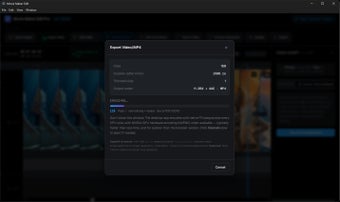
Users can also customize soundtracks, resolutions, aspect ratios, and quality settings without advanced technical skills. With straightforward tools and support for projects lasting up to three hours, Movie Maker Edit Pro helps creators turn scattered clips into cohesive productions quickly and efficiently.
Bring every clip together
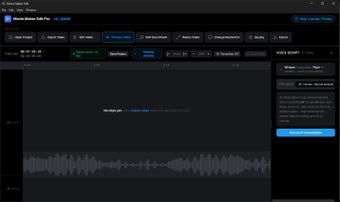
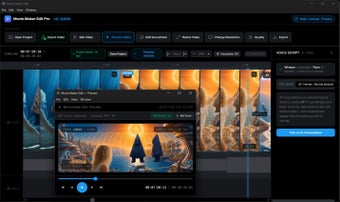
Movie Maker Edit Pro offers an accessible editing experience by allowing users to import countless video clips, arrange them on a timeline, and generate complete movies within minutes. Automatic blur-wipe transitions create smoother scene changes, while preview tools make reviewing edits effortless before exporting. Flexible resolution, orientation, and quality settings also ensure finished videos suit everything from mobile viewing to large-screen presentations.
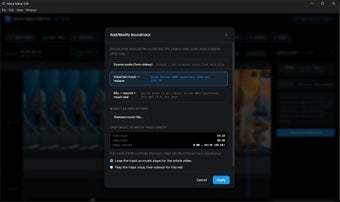
The application further improves production quality through automatic soundtrack normalization and convenient project management. Users can replace or preserve original audio, add music from personal MP3 libraries, and rely on consistent volume balancing across the entire film. The ability to save self-contained project files and reopen them later provides welcome flexibility, especially for creators working on longer productions over multiple editing sessions.
That said, the program focuses on simplicity rather than advanced editing controls, which may leave experienced video editors wanting more precision. Those seeking multi-track timelines, complex visual effects, or professional color grading tools could find the feature set somewhat limited. While ideal for quickly assembling polished movies, advanced filmmakers may eventually require more specialized editing software.
A practical editor
Movie Maker Edit Pro successfully transforms collections of short clips into polished, feature-length videos with minimal effort. Automatic transitions, balanced audio, flexible export options, and project-saving capabilities create an enjoyable editing workflow suitable for beginners and casual creators alike. Although professionals may miss deeper editing features, the application excels at producing attractive movies quickly without unnecessary complexity or a steep learning curve.